Jul 17, 2026·7 min read
Session RPM (Revenue Per Mille Sessions)
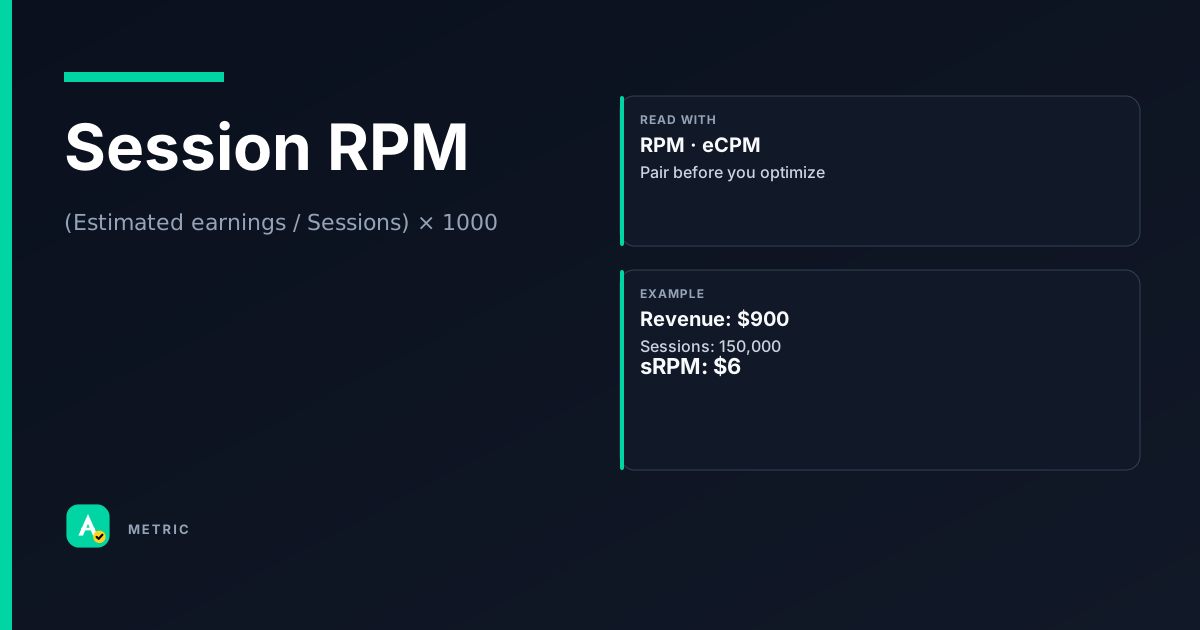
Session RPM (Revenue Per Mille Sessions) measures estimated earnings per thousand user sessions. Unlike page-level RPM, it bundles all pageviews, ad impressions, and engagement within a single visit into one yield number. It is especially useful for sites where users browse multiple pages per session.
What it is
Session RPM = (estimated earnings / number of sessions) × 1,000. A session is a group of user interactions within a given time frame — typically 30 minutes of inactivity resets it.
Where RPM looks at individual pageviews, Session RPM accounts for the full visit. A user who reads three articles in one session counts as one session but three pageviews. If your site drives deep engagement, Session RPM can be a truer measure of content value than page RPM.
When it matters most
- Content sites with high pages-per-session (e.g., recipe blogs, news outlets, tutorials)
- Sites using infinite scroll or single-page apps where a session spans many ad refreshes
- Any publisher trying to optimize for visit-level yield rather than per-page yield
Google AdSense Help defines Session RPM as “estimated earnings per thousand sessions,” reinforcing that it is a session-level metric, not a page-level one.
How it is calculated
Session RPM = (Estimated earnings / Number of sessions) × 1,000
Example: If a site earns $500 from 50,000 sessions, Session RPM = ($500 / 50,000) × 1,000 = $10.00.
Important caveats
- Session definition varies by platform. Google Analytics uses a 30-minute timeout by default; some ad servers use their own session window. Always check the vendor’s definition.
- Estimated earnings are gross revenue before platform fees (unless otherwise noted).
- Cross-device sessions are usually counted separately — a user on phone and later on desktop creates two sessions.
- Session RPM is not additive across pages. You cannot sum page RPMs to get Session RPM because the denominator (sessions vs. pageviews) differs.
How to read it in a dashboard
A rising Session RPM generally means you are earning more per visit — either because each page earns more, or because users view more pages per session, or both.
A flat or falling Session RPM while page RPM is stable suggests that session depth (pages per session) is declining. Users are leaving sooner, so each visit generates less total revenue even though per-page rates haven’t changed.
What to pair it with
- Pages per session — the main driver of Session RPM independent of ad rates
- Page RPM — to isolate whether changes come from ad pricing or session depth
- Bounce rate — a high bounce rate often drags Session RPM down because single-page sessions contribute little earnings
Easy mistake: A publisher sees Session RPM drop and immediately blames ad rates. But if page RPM is flat and pages per session fell from 2.5 to 1.8, the real issue is engagement, not CPM.
What usually moves this metric
Increase session depth
- Internal linking — related articles, “you might also like” widgets
- Content series — multi-part guides that naturally lead to the next page
- Infinite scroll — keeps the session alive without a new page load (but watch ad refresh rules)
Improve per-page yield
- Ad layout & density — test ad placements without harming UX
- Header bidding — increase competition for each impression
- Direct deals — premium CPMs for high-value audiences
Reduce session fragmentation
- Page load speed — slow pages increase bounce rate and shorten sessions
- Mobile optimization — poor mobile UX kills session depth
Tradeoffs
Pushing session depth too aggressively can backfire. If you force users through multiple pages with low-value content, they may churn entirely. Similarly, cramming more ads onto each page can increase page RPM but reduce pages per session if the experience degrades. The best lever is content that naturally invites the next click — then monetize that extra pageview without over-optimizing either metric in isolation.
Formula
Session definition (timeout window) varies by analytics platform; always confirm the vendor’s session logic before comparing across tools.
Scenarios
The recipe site that raised Session RPM without raising page RPM
A recipe publisher saw flat page RPM ($6.00) but wanted higher revenue per visit.
What they did:
- Added “next recipe” links in the ingredient list and a “save to meal plan” feature that required visiting a second page
- Pages per session went from 1.4 to 2.1
- Session RPM rose from $8.40 to $12.60
Takeaway: Improving session depth can lift Session RPM even when page RPM stays flat.
The news site that confused page RPM with session RPM
A local news site ran a headline: “Page RPM up 15% — great quarter!” But Session RPM was flat.
What happened:
- Page RPM rose because of a seasonal CPM spike
- But pages per session dropped from 3.0 to 2.2 (users read fewer articles)
- The two effects canceled out at the session level
Takeaway: Page RPM gains can mask declining engagement. Always check Session RPM to see the full revenue story per visit.
The forum that chased session depth too hard
A community forum wanted higher Session RPM and added auto-loading of old threads after each post.
What happened:
- Pages per session jumped from 4 to 7
- But users reported frustration — they couldn’t find the end of a thread
- Return rate dropped 20%, and long-term Session RPM fell
Takeaway: Session depth is not a free lever. Forcing extra pageviews without genuine user value can hurt retention and ultimately revenue.
Common pitfalls
Treating Session RPM like a page-level KPI
Session RPM is not comparable across sites with different session depths. A high Session RPM could mean high ad rates or many pages per session (or both).
What to do instead:
- Always decompose: Session RPM = Page RPM × Pages per session
- Benchmark against your own historical data, not industry averages
Ignoring session definition differences
One platform may count a session as 30 minutes of inactivity; another may use 1 hour or tie it to a login. Comparing Session RPM across platforms without normalizing the session window is misleading.
What to do instead:
- Use a single analytics source as your source of truth
- Document the session timeout setting in your reports
Optimizing Session RPM in isolation
Chasing a higher Session RPM by adding low-value pages or aggressive ad refreshes can degrade user experience and hurt long-term metrics like return rate and lifetime value.
What to do instead:
- Monitor user satisfaction signals (bounce rate, time on site, return visits)
- Set a floor for session quality, not just revenue
Summary
Session RPM gives a more complete picture of revenue per visit than page RPM, especially for engagement-heavy sites. It rewards both strong ad monetization and content that keeps users reading.
- Always pair Session RPM with pages per session and page RPM to understand what is driving changes.
- Session depth is a powerful lever, but forcing it without genuine user value can backfire.
- Standardize your session definition before comparing across platforms or time periods.
Quick check
Confirm you understood this article.
boolean
Session RPM can increase even if page RPM stays flat.
Select an answer to continue
References
- Google AdSense Help — session RPM definition (conceptual reference)
- Publisher analytics practice for session-level yield (conceptual reference)
- IAB / MRC digital measurement guidelines — session and pageview definitions (conceptual reference)
For learning only. Not advice on bids or spend.
You may also like
Metrics
Average Revenue Per User (ARPU)
ARPU (Average Revenue Per User) measures the revenue generated per user or subscriber over a sp…
ValueMetrics
Effective Cost Per Mille (eCPM)
eCPM (effective cost per mille) is the revenue a publisher earns per thousand ad impressions, r…
RevenueMetrics
Revenue per Mille (RPM)
RPM (Revenue per Mille) measures how much a publisher earns per thousand page views or sessions.
RevenueMetrics
Conversion Rate (CVR)
Conversion rate (CVR) measures how often a click (or visit) leads to a desired action — a purch…
Performance