Jul 17, 2026·7 min read
Revenue per Mille (RPM)
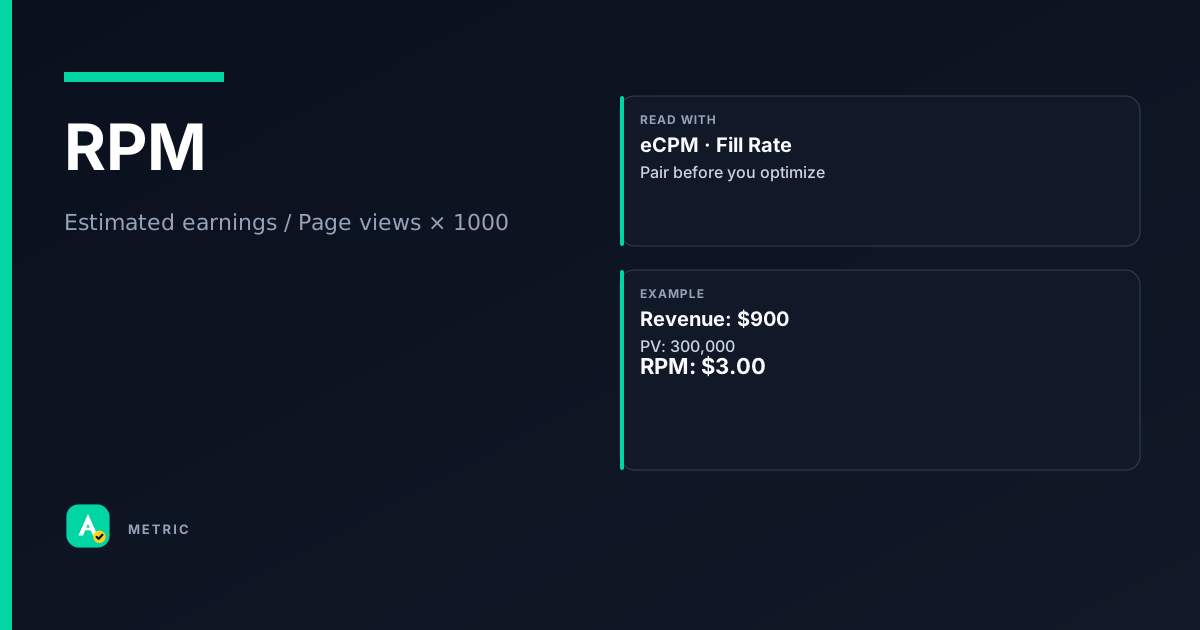
RPM (Revenue per Mille) measures how much a publisher earns per thousand page views or sessions. It bundles fill rate, pricing, and user behavior into one site-level yield number. Unlike eCPM, RPM accounts for unfilled impressions — making it the truer gauge of overall monetization efficiency.
What RPM is — and why it matters
RPM stands for Revenue per Mille (thousand). It tells you the average earnings generated for every 1,000 page views (Page RPM) or 1,000 sessions (Session RPM).
Because RPM includes pages or sessions where no ad was served, it reflects the combined effect of fill rate, pricing, and user engagement. A site with high eCPM but low fill rate can still have disappointing RPM.
Key distinction from eCPM
- eCPM = earnings per 1,000 impressions (only paid events).
- RPM = earnings per 1,000 page views or sessions (includes unfilled inventory).
Use RPM for site-level yield and eCPM for demand or placement comparisons.
How it is calculated
Page RPM = Estimated earnings / Page views × 1000
Session RPM = Estimated earnings / Sessions × 1000
Important caveats
- Estimated earnings are net of platform fees (e.g., AdSense revenue share).
- Page views and sessions definitions vary by platform. Google Ad Manager counts a page view as one ad request from a page; sessions are time-bound groups of page views.
- RPM is not additive across pages — averaging RPMs from different sections can misrepresent total yield.
- Currency conversion matters if you report in a non-default currency; always check the reporting settings.
How to read it in a dashboard
A single RPM number tells you little without context. Always compare against:
- Your own historical baseline (same day of week, same traffic source).
- Segment RPM by device, country, and ad placement.
What to pair with RPM
- Fill rate — if RPM drops but eCPM is stable, fill rate likely fell.
- Pages per session — a rise here can inflate Page RPM even if per-page earnings are flat.
- eCPM — when RPM and eCPM diverge, investigate unfilled impressions or low-value remnant demand.
Easy mistake in Slack
“RPM went up 20% — we’re monetizing better!”
Check pages per session first. If users are simply viewing more pages (e.g., from a viral article), RPM can rise without any improvement in ad pricing or fill.
What usually moves this metric
Pricing levers
- Floor price optimization — raising floors can increase eCPM but may reduce fill rate, potentially lowering RPM.
- Header bidding — increases demand competition, often lifting both eCPM and fill rate.
- Ad refresh — more ad calls per page view can boost RPM, but only if refresh logic respects viewability thresholds.
Fill rate levers
- Backfill providers — adding a secondary ad network captures revenue from unfilled impressions.
- Ad unit sizing — responsive ad units that match available demand sizes improve fill.
- Geotargeting — opening inventory to low-ecpm regions can fill gaps, but may dilute overall RPM.
User engagement levers
- Page load speed — faster pages increase pages per session and reduce bounce rate.
- Content recommendations — internal links drive more page views, lifting Page RPM denominator.
- Session depth — Session RPM penalizes shallow sessions; improving content stickiness helps.
Tradeoffs
Raising eCPM alone can backfire if it chokes fill rate. Similarly, boosting pages per session without improving ad density or pricing may leave Session RPM flat. Always test one lever at a time and watch the paired metrics.
Formula
Platforms like Google AdSense report estimated earnings after their revenue share; page view definitions may differ between AdSense and Ad Manager.
Scenarios
The viral traffic spike that hid a yield drop
A publisher saw Page RPM jump 30% during a viral post. What happened: Pages per session doubled as users clicked through related articles. Cause: The RPM rise was entirely from more page views, not better ad pricing. Fix: Segment RPM by traffic source; the viral traffic had a lower eCPM than regular readers. Takeaway: Always decompose RPM into eCPM and pages per session before celebrating.
Floor price increase backfires
A news site raised floor prices by 20% to boost RPM. What happened: Fill rate dropped from 85% to 60%. Cause: Demand at the higher floor was insufficient. Fix: Lower floors to restore fill, then test incremental increases with A/B experiments. Takeaway: RPM = fill × price; optimizing one in isolation can hurt the other.
Header bidding lifts RPM without changing eCPM
A lifestyle blog added header bidding alongside AdSense. What happened: RPM rose 15% while eCPM stayed flat. Cause: Fill rate improved from 70% to 85% because header bidding captured demand that AdSense missed. Takeaway: RPM gains can come from fill rate improvements even when eCPM does not move.
Common pitfalls
Treating RPM like eCPM
RPM and eCPM are not interchangeable. What to do instead:
- Use eCPM to compare demand sources or ad placements.
- Use RPM to evaluate overall site or section yield.
- Never set RPM targets without also tracking fill rate.
Ignoring session vs. page view denominator
Session RPM can mask page-level problems. What to do instead:
- Monitor both Page RPM and Session RPM.
- If Session RPM is flat but Page RPM is rising, users are viewing more pages per session — not necessarily monetizing better.
- Choose the denominator that aligns with your business goal (e.g., Session RPM for engagement-focused sites).
Comparing RPM across platforms without normalizing
AdSense RPM, Ad Manager RPM, and third-party analytics RPM may use different definitions of earnings and page views. What to do instead:
- Always use the same platform’s definition when comparing periods.
- Document which revenue (gross vs. net) and which page view rule (e.g., with or without non-monetized pages) is in use.
Summary
RPM is the publisher’s north star for site-level yield, but it is a composite metric that demands decomposition. Key takeaways:
- RPM = fill rate × eCPM × (pages or sessions) — never read it in isolation.
- Pair RPM with fill rate and eCPM to diagnose changes.
- Optimize levers one at a time; raising eCPM can hurt RPM if fill rate drops.
Quick check
Confirm you understood this article.
boolean
RPM includes revenue from unfilled impressions.
Select an answer to continue
References
- Google AdSense Help — Page RPM and Session RPM definitions (conceptual reference)
- Google Ad Manager / AdSense publisher reporting concepts (conceptual reference)
- IAB Measurement Guidelines — Digital Ad Impressions (conceptual reference)
For learning only. Not advice on bids or spend.
You may also like
Metrics
Average Revenue Per User (ARPU)
ARPU (Average Revenue Per User) measures the revenue generated per user or subscriber over a sp…
ValueMetrics
Effective Cost Per Mille (eCPM)
eCPM (effective cost per mille) is the revenue a publisher earns per thousand ad impressions, r…
RevenueMetrics
Fill Rate
Fill Rate measures the percentage of ad requests that result in a served ad.
SupplyMetrics
Bid Request (OpenRTB)
A Bid Request is the message an ad exchange sends to bidders (DSPs) to describe available inven…
Auction