Jul 17, 2026·7 min read
Click-through rate (CTR)
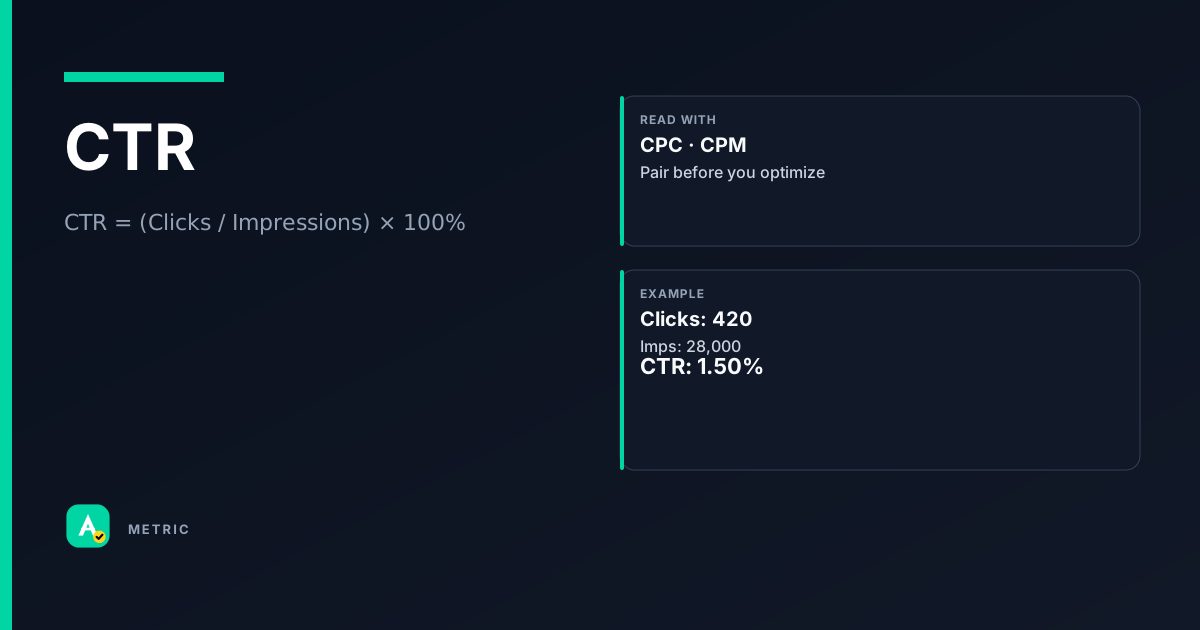
Click-through rate (CTR) measures how often people click your ad after seeing it. It is the ratio of clicks to impressions, usually shown as a percentage. CTR is a classic engagement signal — but it is not a success metric on its own. Pair it with CPC and CVR to understand whether those clicks actually convert.
What it is
CTR answers a simple question: Of everyone who saw the ad, how many took the next step? It is the most widely reported engagement metric in digital advertising because it is easy to calculate and appears in every major platform — Google Ads, Meta, Amazon Ads, and programmatic DSPs.
What CTR actually measures
- Interest alignment — A high CTR suggests the creative, offer, or targeting matched the audience’s intent at that moment.
- Ad relevance — Platforms like Google Ads use CTR as a quality signal in ad rank calculations.
- Attention proxy — A click requires active decision-making, so CTR is a stronger signal than a passive view.
What it does NOT measure
CTR says nothing about what happens after the click. A 10% CTR with a 0.5% conversion rate is worse than a 2% CTR with a 10% conversion rate. Always read CTR alongside downstream metrics like CVR and cost-per-acquisition.
So what: CTR is a useful early-funnel health check, but it becomes misleading when treated as a campaign goal.
How it is calculated
The formula is universal across platforms:
CTR = (Clicks / Impressions) × 100%
If an ad receives 150 clicks from 5,000 impressions: CTR = (150 / 5,000) × 100% = 3.0%.
Platform caveats
- Meta distinguishes click types — The default dashboard shows “All Clicks” (includes likes, shares, comments). For true outbound traffic, use Link Clicks. Comparing a Meta Link CTR to a Google Search CTR is apples-to-oranges unless you match click definitions. See [Meta Business Help — click vs link-click reporting definitions].
- Google Ads separates Search vs Display — Search CTR norms are typically higher (1–5%+ for branded terms) because users have explicit intent. Display CTRs average far lower (0.1–0.5%) because the ad interrupts browsing. Google Ads Help states: “CTR = clicks / impressions; a ‘good’ CTR is relative to network and category.”
- Programmatic / OpenRTB — Some DSPs count a click only if the user lands on the destination URL; others count any interaction with the ad unit. Check your vendor’s definition.
So what: Always verify which click type is being reported before comparing CTRs across platforms or campaigns.
How to read it in a dashboard
A single CTR number tells you almost nothing. You need context — channel, audience, creative format, and the rest of the funnel.
The easy mistake
A home-services advertiser once saw a 12% CTR on a Facebook campaign and declared it a winner. They had been looking at All Clicks (likes, comments, shares) instead of Link Clicks. The real outbound CTR was 1.1%. The campaign was underperforming.
What to pair CTR with
- Impressions — A high CTR on 50 impressions is noise. Look for statistical significance (typically 1,000+ impressions minimum).
- CVR (conversion rate) — The click-to-conversion ratio tells you if the clicks are qualified.
- CPC — A high CTR with a low CPC usually means strong relevance; a high CTR with a high CPC may indicate aggressive bidding.
When you should NOT chase this metric
- Brand awareness campaigns — If the goal is recall, not action, a low CTR is expected. Optimizing for CTR would push you toward clickbait creative that hurts brand perception.
- Video view-through — A skippable pre-roll ad with a 0.1% CTR may still be highly effective if view-through rates and brand lift are strong.
So what: Read CTR as a directional signal, not a verdict. Always filter by click type and benchmark against the same channel and format.
What usually moves this metric
CTR responds most to changes in creative, targeting, and placement context. Here are the primary levers:
Creative & messaging
- Headline and call-to-action (CTA) — Action-oriented CTAs (“Get started”, “Shop now”) consistently outperform passive ones.
- Value proposition clarity — Users click when they immediately understand what they get. Vague copy depresses CTR.
- Visual contrast — In display, the CTA button color and placement matter. A/B test button copy and color.
Targeting & audience
- Intent-based targeting — Search keywords, retargeting lists, and in-market audiences produce higher CTRs than broad demographic targeting.
- Audience recency — Users who saw the ad 1–7 days ago click more than those who saw it 30+ days ago (frequency management matters).
Placement & format
- Native vs banner — Native ad units often yield 2–5× higher CTR than standard banners because they match the page design.
- Mobile vs desktop — Mobile CTRs tend to be higher for direct-response ads (smaller screen, thumb-friendly CTAs).
Tradeoffs
- Clickbait penalty — A sensational headline may spike CTR but crater CVR and increase bounce rate. Platforms like Google Ads penalize high-bounce landing pages with lower Quality Score.
- Low CTR ≠ failure — If you optimize solely for CTR, you may shrink your audience to only the most eager users, leaving volume on the table. Sometimes a 1% CTR with 1M impressions is better than a 5% CTR with 100K impressions.
So what: Move CTR by improving relevance — creative that matches audience intent — but never optimize CTR in isolation from conversion goals.
Formula
Platforms differ on what counts as a click. Meta distinguishes Link Clicks from All Clicks; Google Ads uses the same formula for Search and Display but benchmarks differ widely.
Scenarios
The retargeting CTR trap
Setup: A DTC brand ran a retargeting campaign and saw CTR jump from 1.2% to 4.8% after changing the creative.
- What happened: The new creative used a countdown timer (“Sale ends tonight!”). Clicks surged, but conversion rate dropped from 8% to 2% — most clickers landed on the site and left.
- What they did: Reverted to urgency-light creative and added a landing-page A/B test to match the ad promise.
- Takeaway: A CTR spike without a CVR hold is often a sign of mismatched expectations. Always check the full funnel.
Display vs Search benchmark confusion
Setup: A B2B SaaS company compared their Google Display CTR (0.3%) to their Google Search CTR (3.5%) and thought Display was broken.
- What happened: The team didn’t account for channel norms. Display CTRs of 0.1–0.5% are typical; Search CTRs of 2–5% are typical for non-brand terms.
- What they did: Benchmarked Display against industry Display averages (e.g., B2B tech: 0.2–0.4%) and optimized for cost-per-lead instead.
- Takeaway: Never compare CTR across channels without adjusting for format and user intent. Use channel-specific benchmarks.
The Meta click-type mix-up
Setup: An e-commerce advertiser reported a 9% CTR on a Meta campaign and scaled budget 3×.
- What happened: The dashboard defaulted to “All Clicks” (reactions, shares, comments). Link CTR was 1.8%. The scaled campaign burned budget on low-intent engagement.
- What they did: Switched the reporting column to “Link Click-Through Rate” and paused the campaign until creative was re-optimized.
- Takeaway: In Meta, always filter to Link Clicks for outbound traffic analysis. All Clicks inflates CTR by 3–5× in most campaigns.
Common pitfalls
Treating CTR as a campaign goal
CTR is a process metric, not an outcome. Optimizing for CTR alone encourages clickbait and wastes budget on unqualified traffic.
- Do this instead: Set CTR as a diagnostic KPI alongside CVR, CPA, and ROAS. If CTR is low but CVR is high, the problem is visibility, not relevance.
Comparing CTR across platforms without normalizing click definitions
Meta’s “All Clicks” includes likes and shares; Google Search counts only ad clicks; TikTok counts some interactions as clicks. Comparing raw numbers is meaningless.
- Do this instead: For cross-platform analysis, use a consistent click definition (e.g., only outbound link clicks) or rely on a third-party measurement partner.
Ignoring impression volume when reading CTR
A 50% CTR on 10 impressions is not a signal. A 1% CTR on 100,000 impressions is statistically robust.
- Do this instead: Set a minimum impression threshold (e.g., 1,000) before making optimization decisions based on CTR.
Summary
CTR is a useful engagement signal, but it is not a success metric.
- Always verify which click type is being counted (especially on Meta).
- Read CTR alongside CVR and CPC to understand click quality.
- Optimize for relevance, not click-through rate alone — a high CTR with low conversion is a red flag.
Quick check
Confirm you understood this article.
single
What is the formula for CTR?
Select an answer to continue
Related metrics
References
- Google Ads Help — Clickthrough rate (CTR): https://support.google.com/google-ads/answer/2615875
- Meta Business Help — click vs link-click reporting definitions (conceptual reference)
- IAB Digital Advertising Measurement Guidelines — conceptual reference for impression and click counting standards
For learning only. Not advice on bids or spend.
You may also like
Metrics
Cost per click (CPC)
Cost per click (CPC) measures the average price an advertiser pays each time someone clicks the…
CostMetrics
Cost Per Mille (CPM)
CPM (Cost Per Mille) is the price an advertiser pays for 1,000 ad impressions.
CostMetrics
Conversion Rate (CVR)
Conversion rate (CVR) measures how often a click (or visit) leads to a desired action — a purch…
PerformanceMetrics
Impression
An impression is counted each time an ad is fetched and displayed to a user, per the platform’s…
Delivery