Jul 17, 2026·7 min read
Match Rate
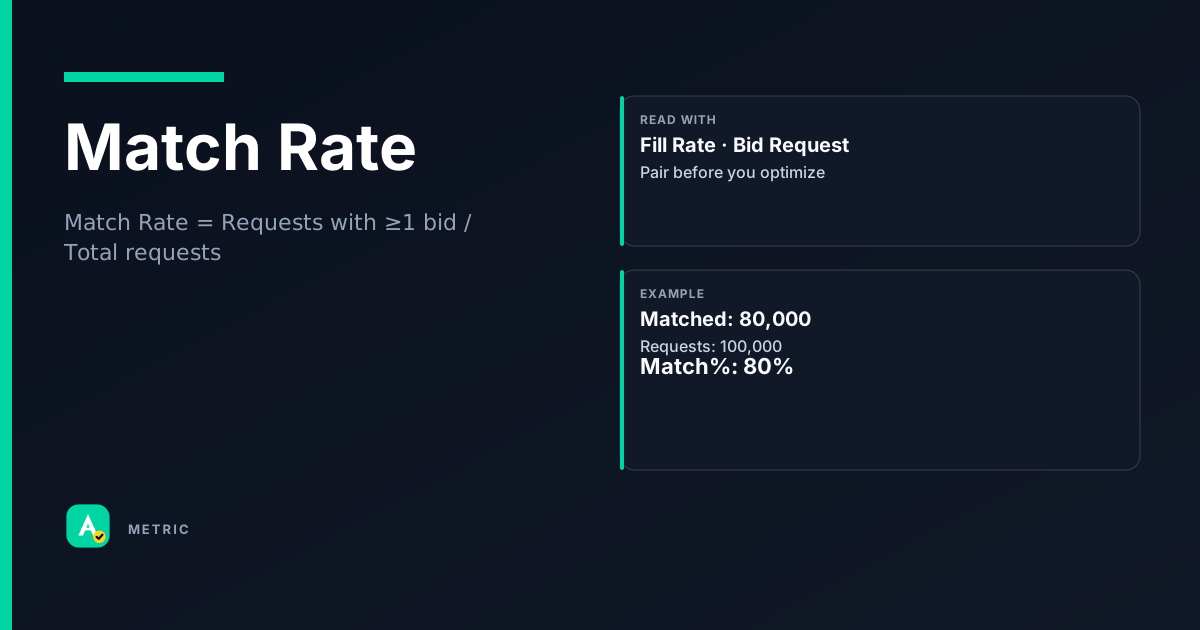
Match Rate measures the share of ad requests that receive at least one bid response from a demand partner. It tells you whether buyers are interested in your inventory at all — before any auction or price floor filters. Unlike fill rate, match rate counts bid presence, not ad delivery.
What it is
Match Rate is the percentage of ad requests that return at least one bid from a connected demand source (SSP, exchange, header bidding partner). It is the earliest signal of demand health in your stack.
A high match rate means buyers see value in the request (user, page, placement). A low match rate means the request is being ignored — often because of poor data signals, low floor prices that signal junk inventory, or a mismatch between the request and the buyer’s targeting.
Key distinction from fill rate
- Match rate = bids received / requests sent
- Fill rate = ads served / requests sent
Match rate can exceed fill rate when a bid arrives but loses to a floor, gets outbid in a unified auction, or fails to render. A publisher with a 70% match rate and 40% fill rate has demand interest but is losing bids in the auction or delivery layer.
So what: Match rate is your canary in the coal mine. If it drops, demand is truly weak. If it stays high while fill drops, the problem is in your auction logic or floor strategy — not in buyer appetite.
How it is calculated
Match Rate = Number of ad requests with at least one bid / Total number of ad requests sent
Example: If an SSP receives 100,000 requests and 73,000 of them get at least one bid back, match rate = 73,000 / 100,000 = 73%.
Important caveats
- Counting method varies by partner. Some SSPs count a match if any bidder responds; others require a minimum bid price (e.g., > $0.00 CPM). Always check the vendor’s definition.
- Timeout matters. A bid that arrives after the client-side timeout is not counted as a match. A low match rate could be a latency issue, not a demand issue.
- Multi-bid requests. If one request goes to 10 bidders and 3 respond, it counts as one match. Match rate is not the same as bidder response rate.
- OpenRTB context. In the OpenRTB auction flow, match rate corresponds to the
seatbidobject being present in the bid response. An emptyseatbidarray means no match.
How to read it in a dashboard
A match rate number alone is meaningless. You must read it in context of partner, format, and timeframe.
What to pair it with
- Bid request volume. A 90% match rate on 100 requests is less meaningful than 70% on 1 million requests.
- Fill rate. The gap between match rate and fill rate reveals auction/floor leakage.
- Win rate. If match rate is high but win rate is low, your floors may be too aggressive.
Common dashboard misread
A publisher sees match rate drop from 75% to 60% and panics about 'demand dying.' But when segmented by partner, one SSP dropped from 80% to 30% while others stayed flat. The real issue: that SSP changed its timeout from 500ms to 200ms. The demand was there; the window was too short.
So what: Always segment by partner, format, and device before concluding demand is weak.
What usually moves this metric
Levers that increase match rate
- Improve data signals. Pass clean user IDs, device info, and contextual signals. Buyers bid more when they understand the request.
- Increase timeout windows. A 50ms timeout kills match rate. Test 200-500ms for header bidding, but balance against page load.
- Add demand partners. More bidders = more chances for at least one bid. But watch for latency bloat.
- Lower floor prices. Aggressive floors can suppress bids. Buyers may not bother responding if the floor is above their valuation.
- Fix request quality. Remove malformed URLs, missing sizes, or invalid ad units. Bad requests get ignored.
Levers that decrease match rate
- Raising floors too high. Buyers self-select out.
- Adding latency constraints. Tight timeouts reduce bid windows.
- Losing user identity. Cookie deprecation, ITP, or broken ID syncing.
- Changing ad unit sizes. If you stop supporting a common size (e.g., 300×250), match rate for that placement drops.
Tradeoffs
- Match rate vs. revenue. A high match rate is not the goal. You could get 100% match rate by setting floors to $0.00 — but you’d leave money on the table. The goal is optimal match rate that balances bid volume with price.
- Match rate vs. latency. More bidders and longer timeouts increase match rate but slow page load. Find the breakpoint where additional match rate costs more in user experience than it earns.
- Match rate vs. fill rate. If match rate is high but fill rate is low, your auction is leaking. Fix floors or allocation before adding more demand.
Formula
Vendor definitions vary. Some require a minimum bid price (e.g., > $0.00 CPM) to count as a match. Check your platform’s documentation.
Scenarios
The timeout that killed match rate
A publisher noticed match rate drop from 72% to 48% overnight for one SSP.
- Cause: The SSP had reduced its client-side timeout from 400ms to 150ms during a latency optimization test.
- Fix: Rolled back the timeout to 300ms. Match rate recovered to 68%.
- Takeaway: Match rate is sensitive to timeout windows. Always check latency settings before blaming demand.
High match rate, low fill — the floor problem
A publisher had 80% match rate but only 35% fill rate. Revenue was flat.
- What happened: Many bids arrived but were below the dynamic floor. The auction rejected them.
- What they did: Lowered floors by 15% and introduced a soft floor that allowed bids below the target to compete. Fill rate rose to 55%, revenue increased 12%.
- Takeaway: Match rate tells you demand exists. Fill rate tells you if you’re capturing it. Don’t optimize match rate in isolation.
Segment by partner to find the real problem
Overall match rate dropped from 70% to 55%. The ad ops team assumed demand was shrinking.
- Cause: When segmented by partner, one SSP had fallen from 75% to 20%. The other three were stable.
- Fix: The SSP had changed its bidder integration and was no longer receiving the user ID. Re-synced the ID pipeline. Match rate returned to 70%.
- Takeaway: Always segment by partner. A single broken integration can tank the aggregate number.
Common pitfalls
Treating match rate as a goal in itself
A high match rate can be achieved by setting floors to $0.00 or adding dozens of bidders. But that often reduces revenue or slows the page.
- Do this instead: Optimize for revenue per request or effective CPM, not match rate alone. Use match rate as a diagnostic, not a KPI.
Ignoring the match-to-fill gap
Seeing 80% match rate and feeling good — while fill rate is 30% — means you’re leaking bids somewhere.
- Do this instead: Monitor the gap. If it’s large, investigate floors, auction logic, and render failures. The gap is where money is lost.
Comparing match rates across different SSPs
Each SSP counts match rate differently. One may count any bid response; another may require a minimum CPM. Comparing them directly is misleading.
- Do this instead: Use each SSP’s match rate as a trendline for that partner only. Compare changes over time, not absolute values across partners.
Summary
Match Rate is the earliest demand health signal in your ad stack — but it is a diagnostic, not a revenue target.
Quick check
Confirm you understood this article.
single
What does Match Rate measure?
Select an answer to continue
Related metrics
References
- IAB Tech Lab — OpenRTB specification (bid response structure, seatbid object)
- Google Ad Manager Help — Bid response metrics (conceptual reference for match vs. fill)
- Header bidding vendor documentation (common match rate definitions and timeout impact)
For learning only. Not advice on bids or spend.
You may also like
Metrics
Bid Request (OpenRTB)
A Bid Request is the message an ad exchange sends to bidders (DSPs) to describe available inven…
AuctionMetrics
Fill Rate
Fill Rate measures the percentage of ad requests that result in a served ad.
SupplyMetrics
Win Rate
Win Rate is the percentage of auctions in which a bidder wins the impression.
AuctionMetrics
Lifetime Value (LTV)
Lifetime Value (LTV) estimates the total net revenue a single customer (or cohort) will generat…
Value